


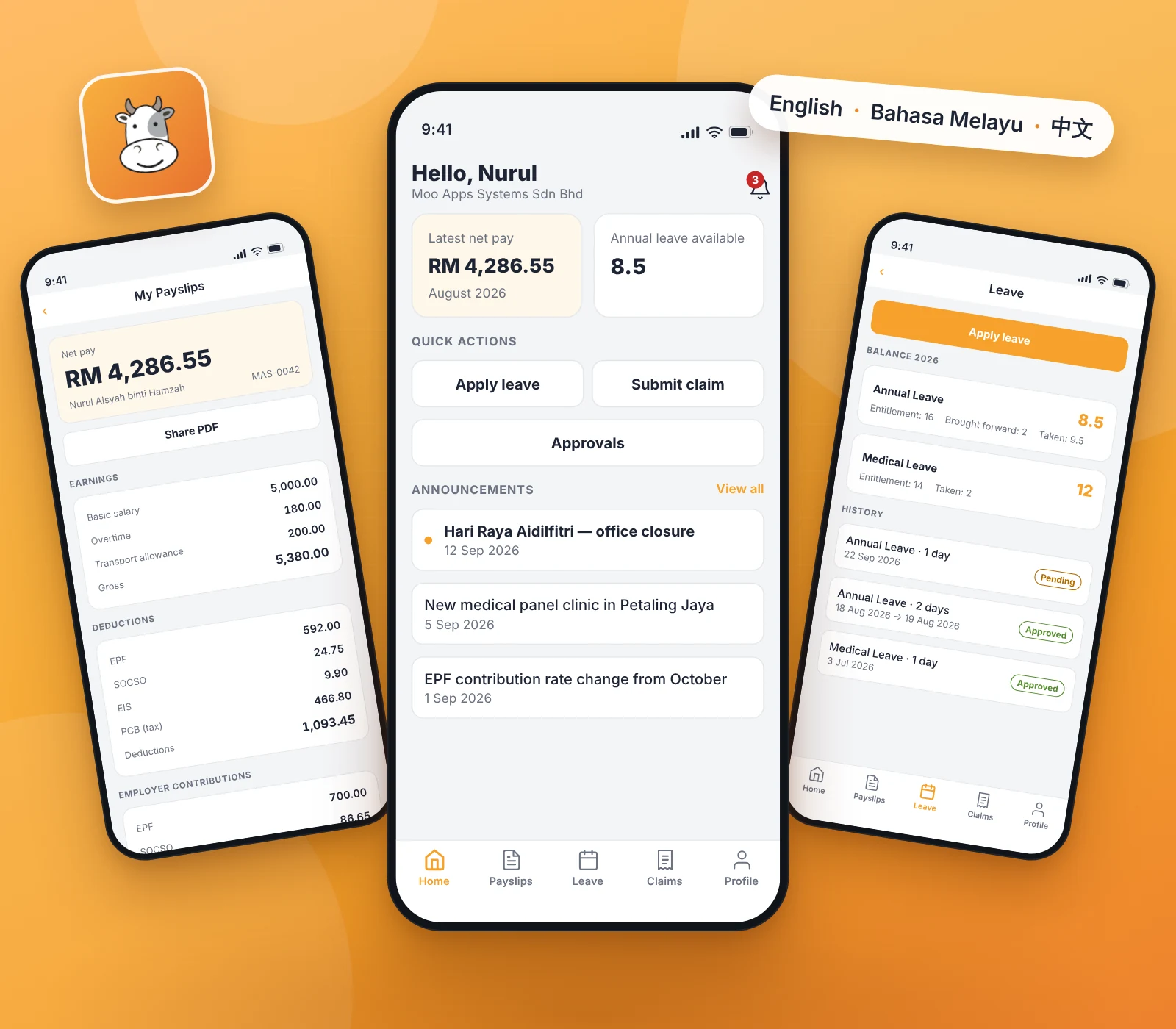
What you can do in the app
The figures come straight from your company's payroll in MooPayroll, so what you see in the app is what is on your payslip.
Payslips
Every payslip you have been issued, newest first, with the full breakdown: basic salary, overtime, allowances and each deduction. EPF, SOCSO, EIS and PCB are shown separately. Open or share the official PDF.
Leave
Your balance for every leave type — entitlement, brought forward, taken and pending. Apply in a few taps, see who has to approve before you submit, and follow each application through its approval steps.
Claims
Submit a claim with a photo of the receipt, taken in the app. Mileage claims apply the company rate for you, and the remaining limit per category is shown before you submit.
Approvals, for managers
Leave and claim requests waiting on you, with the detail you need to decide. Approve or reject with a remark, from anywhere.
Timesheet, if your company uses it
Clock in and out from the Home screen and see your hours and schedule. Location and a photo at clock-in apply only if your company turns them on — checked at the moment you tap, never in the background.
Announcements and documents
Company announcements and notifications, HR documents to read, acknowledge or sign, and contact details you can keep up to date yourself.
- English · Bahasa Melayu · 中文
- Face ID / fingerprint unlock
How to get started
The app is for employees of companies that subscribe to MooPayroll. There is no sign-up inside the app.
- 1
Your HR invites you
Your company's HR administrator adds you to MooPayroll and the system sends an invitation to your e-mail address.
- 2
Set your password
Open the link in the invitation e-mail and choose a password. That is your MooPayroll account.
- 3
Download and sign in
Install the app from the App Store, Google Play or HUAWEI AppGallery and sign in with the same e-mail and password.
No invitation e-mail?
Ask your HR department to send it again, and check that they have your current e-mail address. Only your company's HR can create or change your account.
Company not on MooPayroll yet?
Your employer needs to be running its payroll on MooPayroll first. Ask your employer to get in touch, or see how MooPayroll works.
On a Huawei phone?
Get MooPayroll from HUAWEI AppGallery, where it is listed for Malaysia. On Huawei phones without Google services, push notifications are not available yet — open the app to see what is new.
Get the MooPayroll app
Download it now and sign in with the e-mail your HR department invited you with.



Apple, the Apple logo and iPhone are trademarks of Apple Inc. App Store is a service mark of Apple Inc. Google Play and the Google Play logo are trademarks of Google LLC. HUAWEI AppGallery is a trademark of Huawei Technologies Co., Ltd.